Slot: Yubico OTP
A Yubico OTP slot generates one-time passwords according to the Yubico OTP specification and types them as keyboard input when triggered.
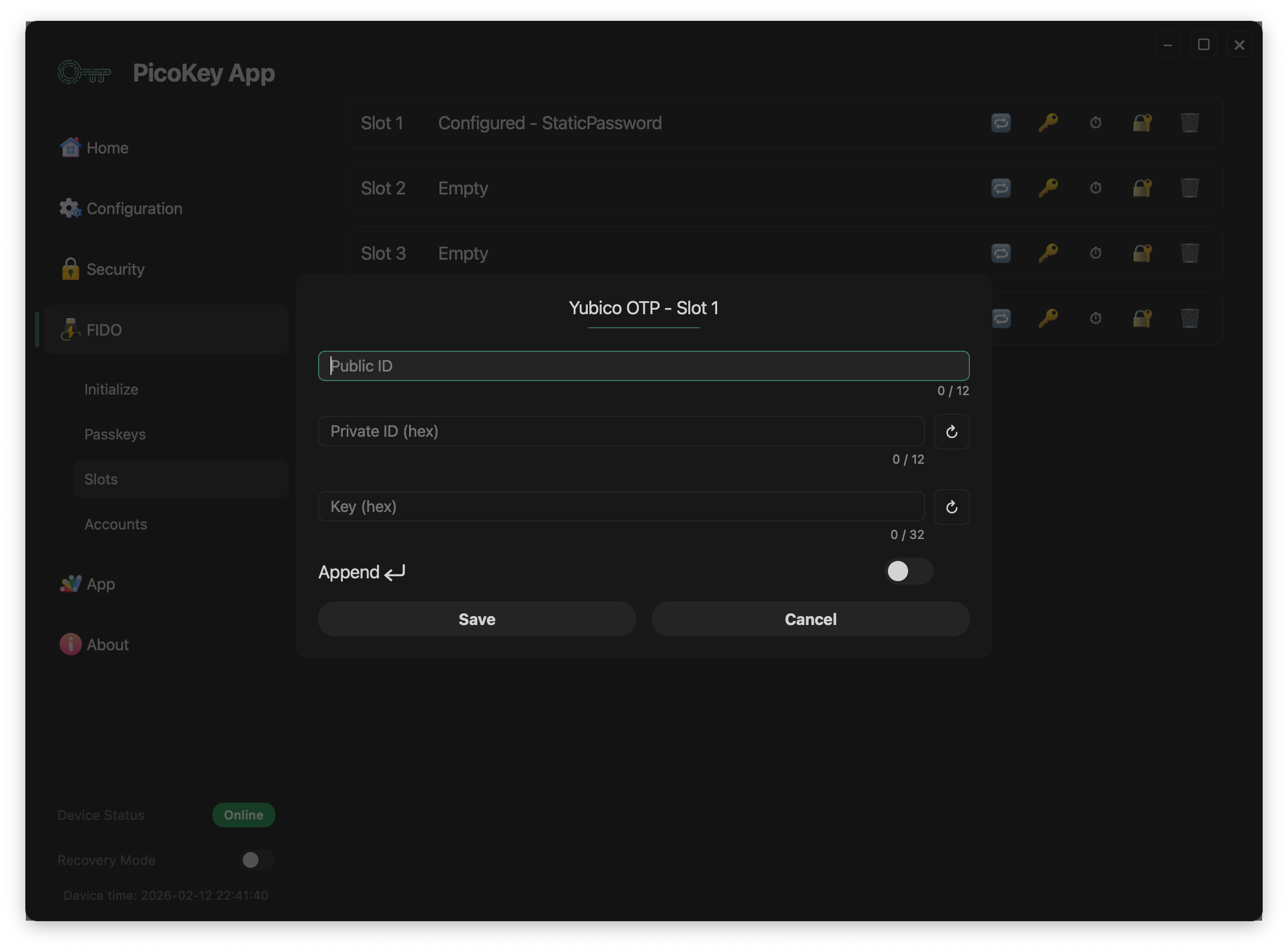
Overview
The device stores Yubico-compatible identifiers and secret keys, then uses them to generate OTP values when the slot is activated. It types each code through its USB keyboard interface for services that support Yubico OTP.
Activation mechanism
The Yubico OTP slot is activated through the OTP / button interface.
Press the BOOTSEL button N times, where N is the slot number. The device
then generates a Yubico OTP and types it into the host as keyboard input.
Note
No additional software is required on the host beyond USB HID keyboard support.
Slot configuration
Public ID
Enter the public identifier that the verification service uses to identify the device. It is sent in clear as part of the OTP and is limited in length by the Yubico specification.
Private ID (hex)
Enter the private identifier in hexadecimal format. The device stores it securely and uses it internally when generating OTP values.
Warning
The private ID cannot be retrieved once stored.
Key (hex)
Enter the secret key in hexadecimal format. The device stores it securely and does not expose it outside the device.
Danger
Losing the secret key prevents OTP verification and cannot be recovered.
Append Enter
When enabled, the device sends Enter after the OTP, which can submit a form automatically.
Tip
Enable this option when authenticating on web login forms.
Save and cancel
- Save stores the Yubico OTP configuration permanently.
- Cancel discards the changes.
Danger
Saving overwrites any existing slot configuration.
Security considerations
The slot follows the Yubico OTP specification and keeps its secrets out of software interfaces. It emits OTPs only as keyboard input.
Warning
Anyone with physical access to the device may trigger OTP generation.
Typical use cases
Use Yubico OTP slots for:
- Authentication against Yubico-compatible servers
- Legacy systems using Yubico OTP
- Environments requiring keyboard-based OTP input
Tip
Ensure the verification backend is correctly configured with matching identifiers and keys.
Limitations
The service must support Yubico OTP, and the device emits the code through its keyboard interface without host-side confirmation.
Note
This slot is intended for compatibility with existing Yubico OTP infrastructures.