Pico FIDO Initialization
This page describes the security initialization and provisioning options available when using Pico FIDO with PicoKey App.
These options are applied once during initialization and directly affect the security model of the authenticator.
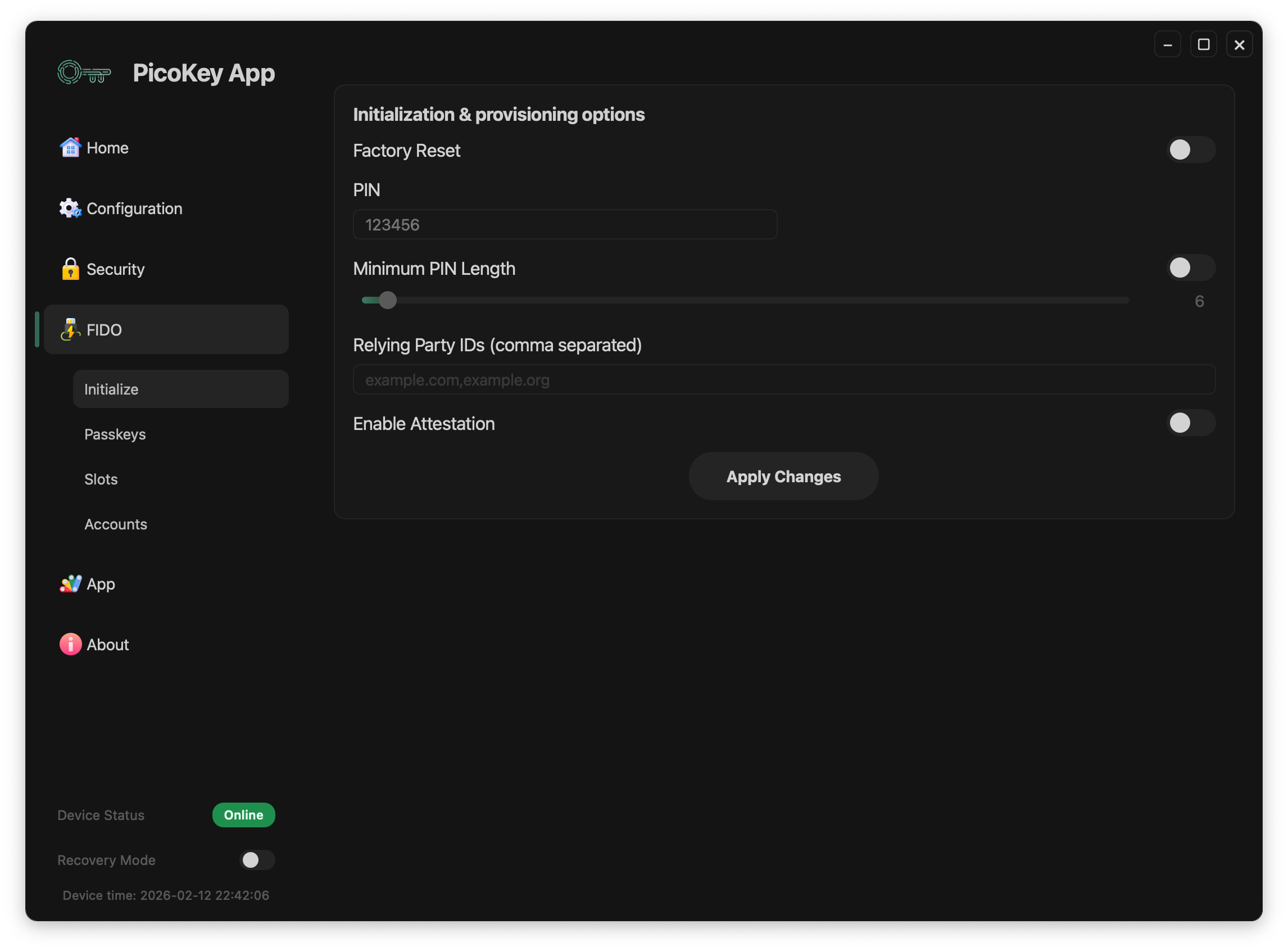
Initialization options
PIN
Sets the user verification PIN for the authenticator.
- The PIN is required for user verification when enabled
- It protects resident credentials and sensitive operations
Warning
Losing the PIN may permanently lock access to credentials.
Attestation
Enables authenticator attestation.
When enabled:
- The authenticator presents an attestation certificate
- Relying parties can identify the device type
Note
Attestation may reduce user privacy depending on the relying party.
Minimum PIN length
Defines the minimum allowed PIN length.
- Enforced at PIN setup time
- Applies to all future PIN changes
Tip
Longer PINs significantly improve resistance against guessing attacks.
PIN complexity policy
When supported by the firmware, Pin Complexity Policy adds a policy URL and one of these requirements. The policy switch must be enabled before the URL and policy controls are applied:
- upper letters
- lower letters
- mixed letters
- digits only
- alphanumeric
- alphanumeric plus symbols
The policy is enforced by the authenticator when PINs are created or changed.
RP IDs restriction
Limits the set of allowed Relying Party IDs.
- RP IDs must be explicitly listed
- Multiple RP IDs are separated by commas
Danger
Incorrect RP ID configuration may prevent authentication on valid services.
FIDO behavior toggles
The initialization panel can also expose:
- Enable Discoverable Credentials (
rk): enables or disables resident credential creation. - Make Cred UV Not Required: allows credential creation without user verification when the relying-party request and device policy permit it.
- Enable Always UV: requires user verification for applicable operations.
Use Apply Changes after changing these switches. Verify the resulting options on the FIDO Dashboard before enrolling production credentials.
Initialization process
After configuring the desired options:
- Click Apply Changes
- The device is provisioned with the selected security parameters
Warning
Initialization is irreversible without a full device reset.
Registration requirement
This panel requires a registered board in PicoKey App. If the board is not registered, initialization actions are disabled.
Summary
Security initialization defines the trust model of Pico FIDO.
Careful selection of these options ensures:
- Strong authentication guarantees
- Resistance against firmware tampering
- Controlled use of attestation and PIN policies