OpenPGP Management
This page documents the OpenPGP > Management view in PicoKey App.
Overview
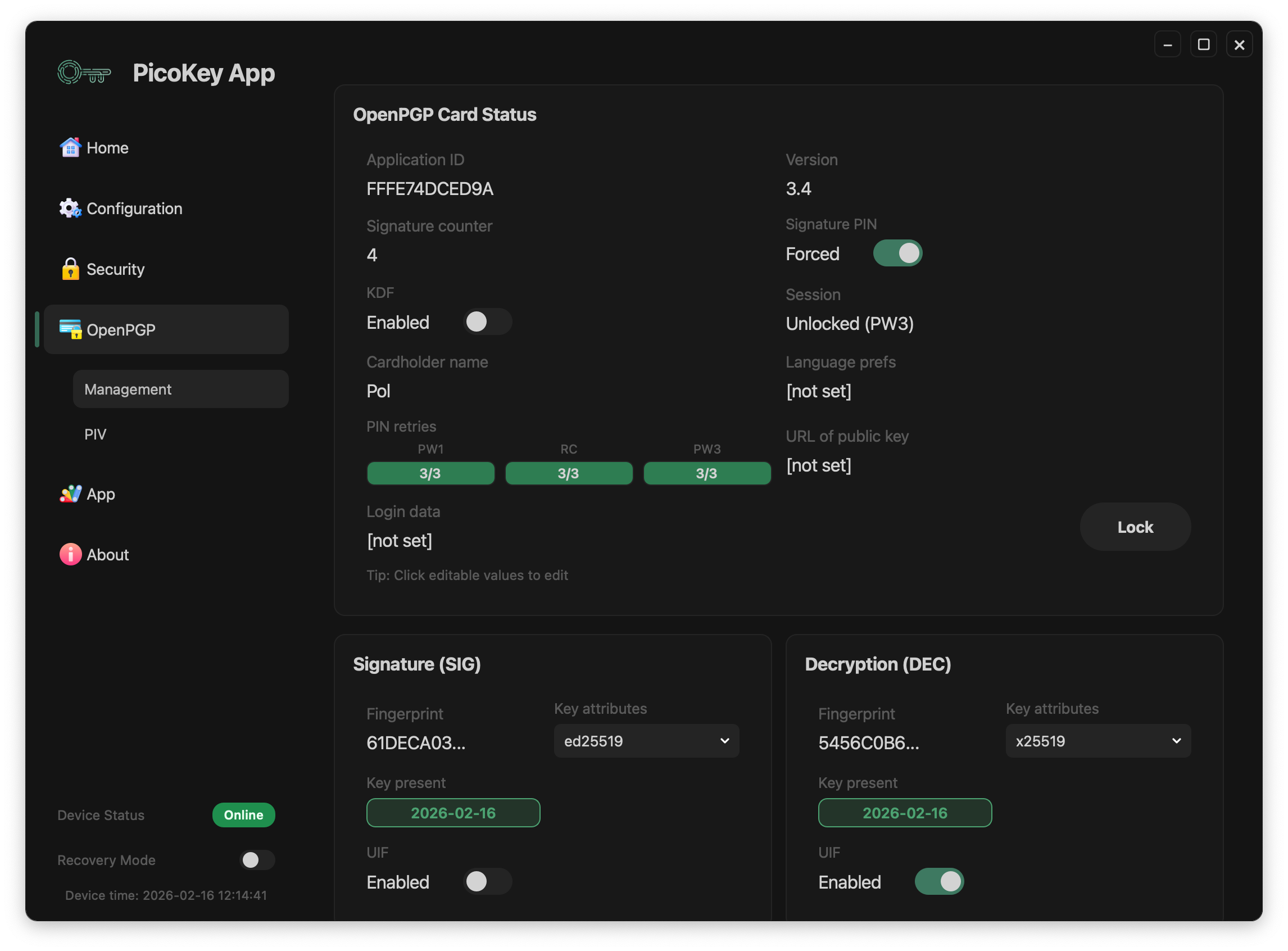
The OpenPGP management view is organized into:
- OpenPGP Card Status (card metadata and PIN/session state)
- Operation modes:
Basic(global key operations)Advanced(slot-level key operations)- Key slots:
- Signature (
SIG) - Decryption (
DEC) - Authentication (
AUT) - Maintenance actions:
LockChange PINFactory Reset
Access model (PW1 / PW3)
OpenPGP management can be unlocked with:
PW1(user context)PW3(admin context)
Admin-level operations require PW3 unlock. This includes key generation/export workflows and editing protected card settings.
When only PW1 is unlocked, the panel remains readable but admin-write actions stay restricted.
Card status
The OpenPGP Card Status section shows:
Application IDVersionSignature counterSignature PINmode (toggle)KDFstateSessionstate (for exampleUnlocked (PW3))Cardholder nameLanguage prefsURL of public keyLogin dataPIN retriesforPW1,RC, andPW3
The panel also displays this hint:
Tip: Click editable values to edit
Note
Fields and editability depend on firmware capabilities and the current authentication state.
Operation modes
OpenPGP management provides two operation modes:
Basic mode
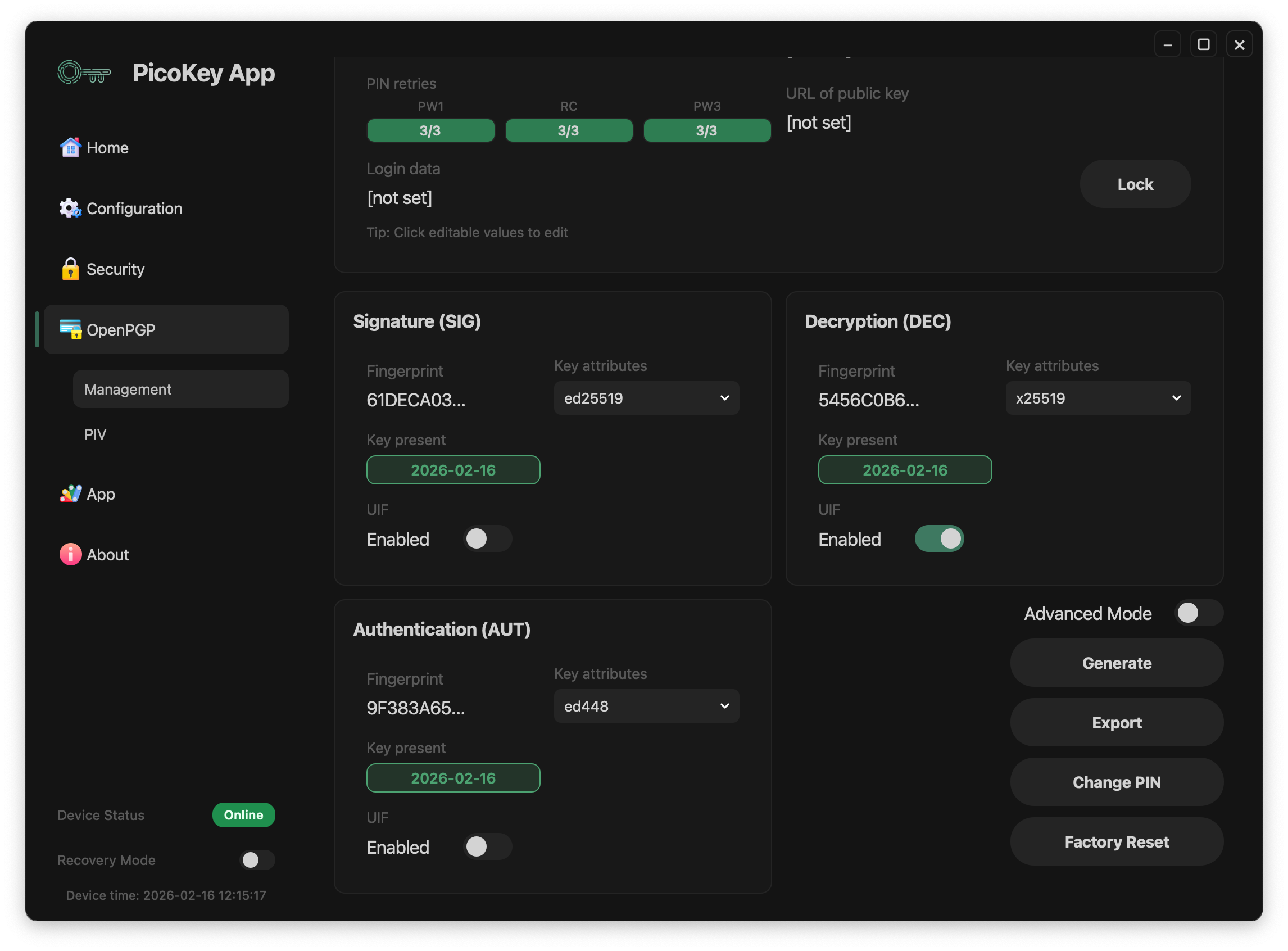
In Basic mode, key operations are global for the OpenPGP keyset:
- Generate creates/regenerates key material for all three slots (
SIG,DEC,AUT). - Export exports public keys for all three slots in one global operation.
Advanced mode
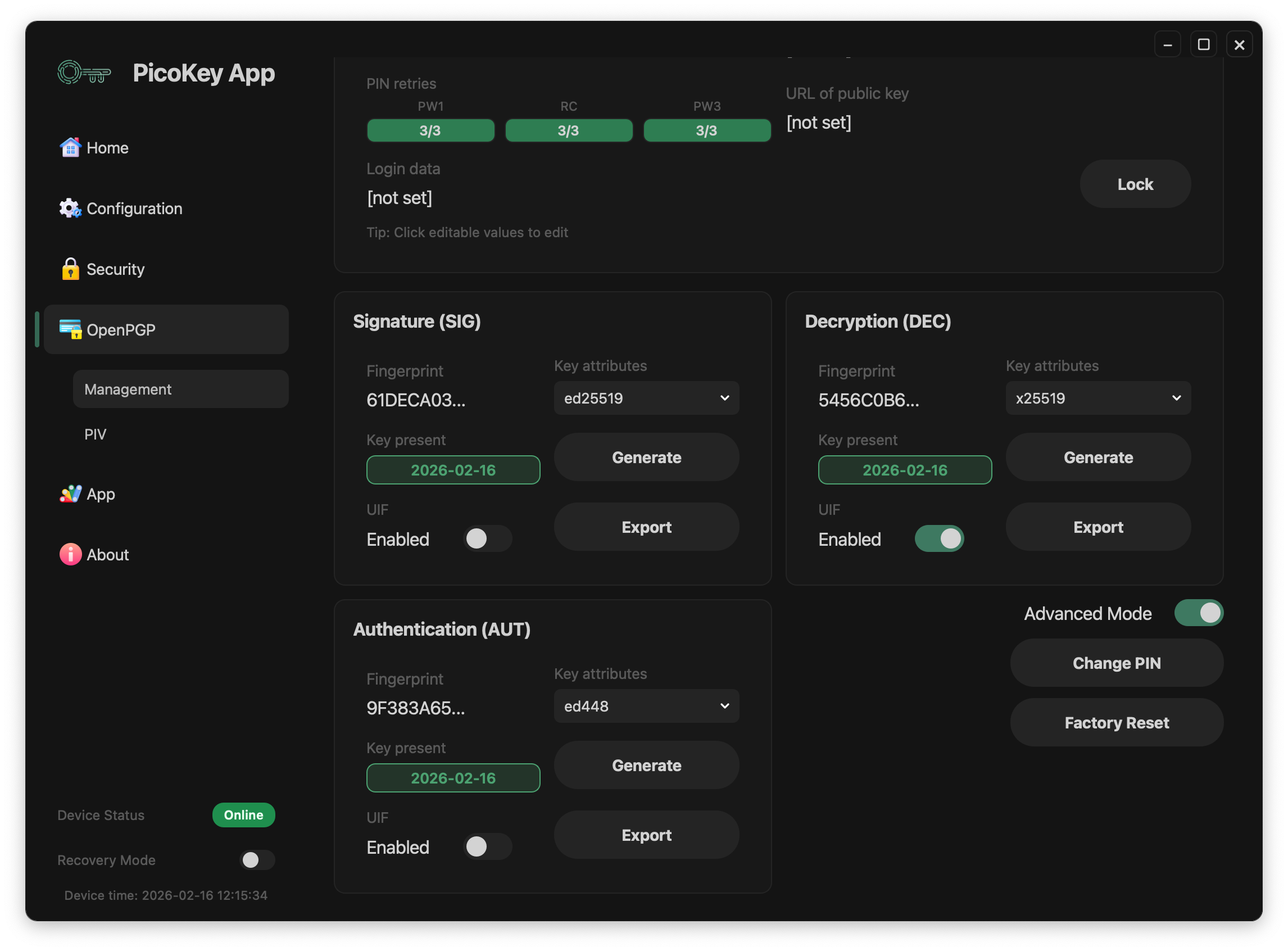
In Advanced mode, operations are granular per slot:
- Generate is available independently for each slot (
SIG,DEC,AUT). - Export can be executed for a single slot, exporting only that slot's public key.
Warning
Generating a key always replaces existing key material in the target scope (all slots in Basic, one slot in Advanced).
Key slots (SIG / DEC / AUT)
Each slot panel exposes:
- Fingerprint (or
[none]when empty) - Key attributes selector (algorithm/key type)
- Key present state/date (or
Empty) - Generate button (in
Advancedmode) - Export action (in
Advancedmode) - UIF toggle (user interaction control)
Typical state examples:
SIGis populated (ed25519)DECis populated (x25519)AUTis empty and set toRSA 2048
Public key export format
When exporting OpenPGP public keys, PicoKey App saves them in:
.ascformat- ASCII armored representation
Note
This is the standard armored OpenPGP public key format used by most OpenPGP tools, both for global export (Basic) and per-slot export (Advanced).
Session and maintenance actions
Lock
- Lock closes the current OpenPGP management session.
- Sensitive actions may require re-authentication afterwards.
Change PIN
- Change PIN opens the PIN update workflow.
- Use it to rotate user/admin credentials according to your policy.
Factory reset
- Factory Reset wipes OpenPGP card data and keys (admin/destructive operation).
Danger
Factory reset is destructive and cannot be undone.
Registration requirement
This panel requires a registered board in PicoKey App. If the board is not registered, controls are restricted.