Accounts
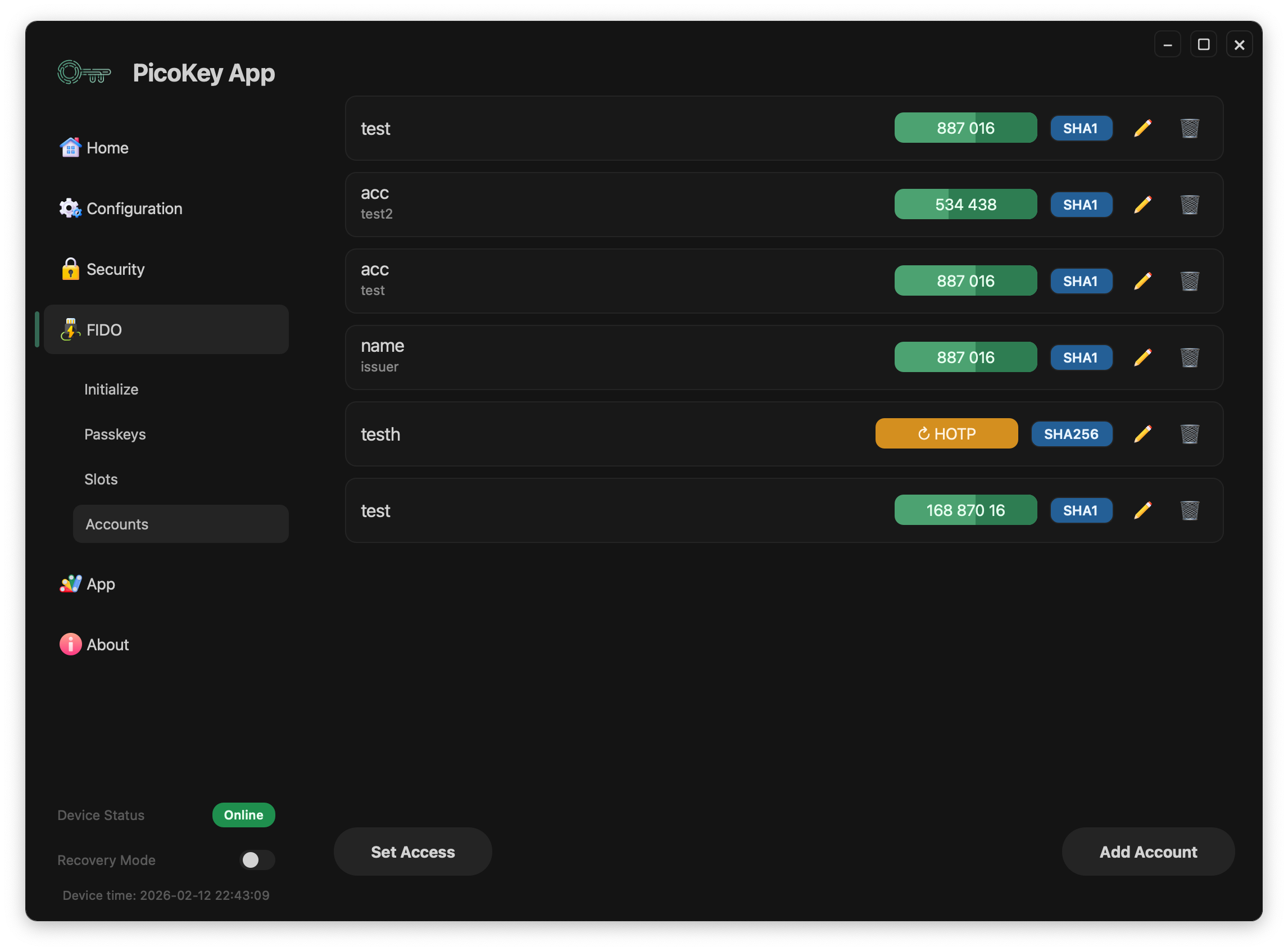
This page describes the Accounts panel in PicoKey App FIDO management.
Overview
The Accounts panel manages OATH accounts stored on the device.
- List existing accounts
- Add TOTP accounts
- Add HOTP accounts
- Rename existing accounts
- Delete existing accounts
- Review account status before provisioning
Access control (OATH password)
The OATH applet can be protected with an access password.
Depending on device state, the panel exposes:
- Set Access: define an OATH access password
- Unlock: unlock the OATH session
- Change Access: rotate the OATH access password
- Clear Access: remove the OATH access password
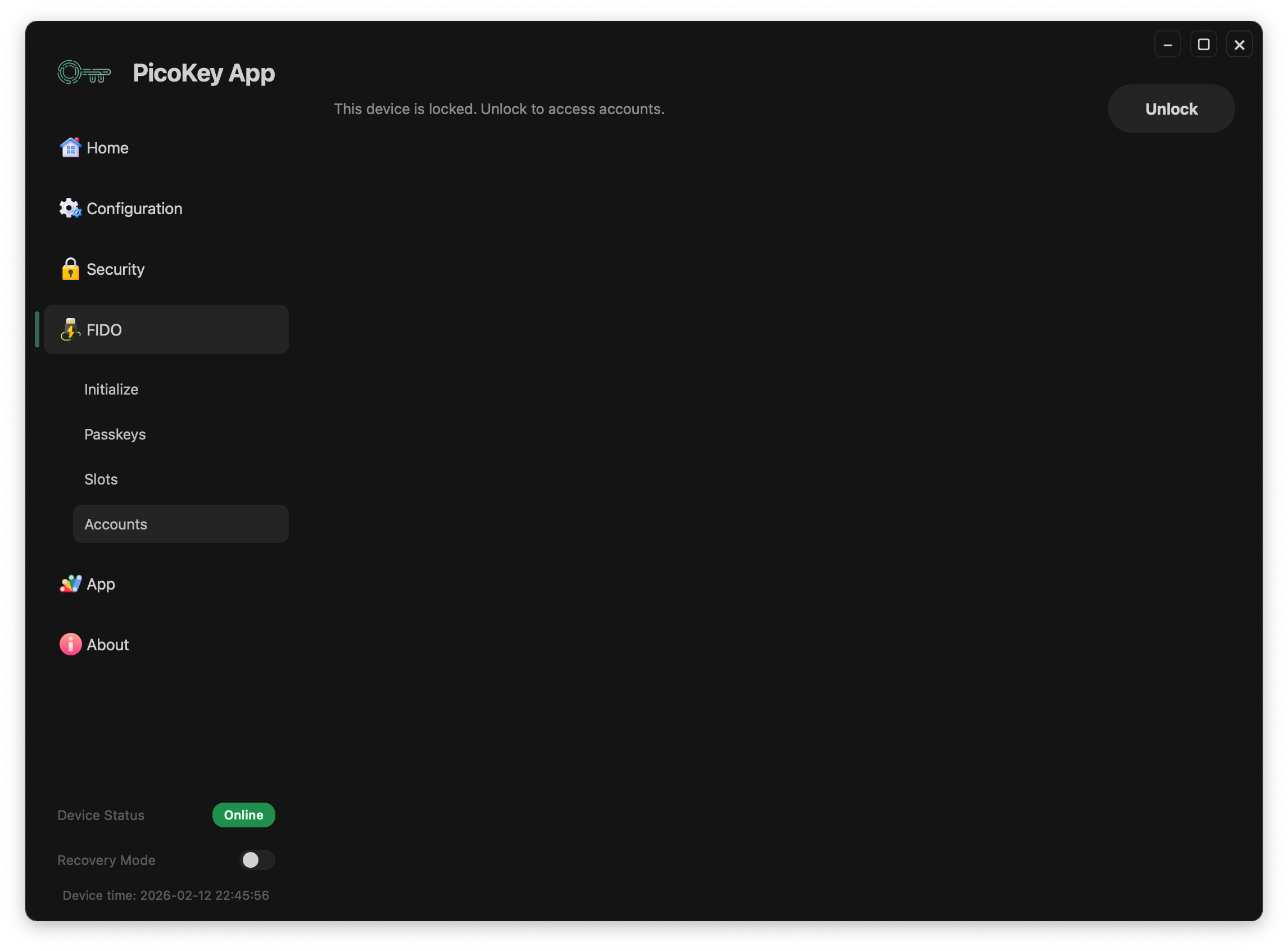
When locked, account content is hidden until unlock.
Adding accounts
Add TOTP
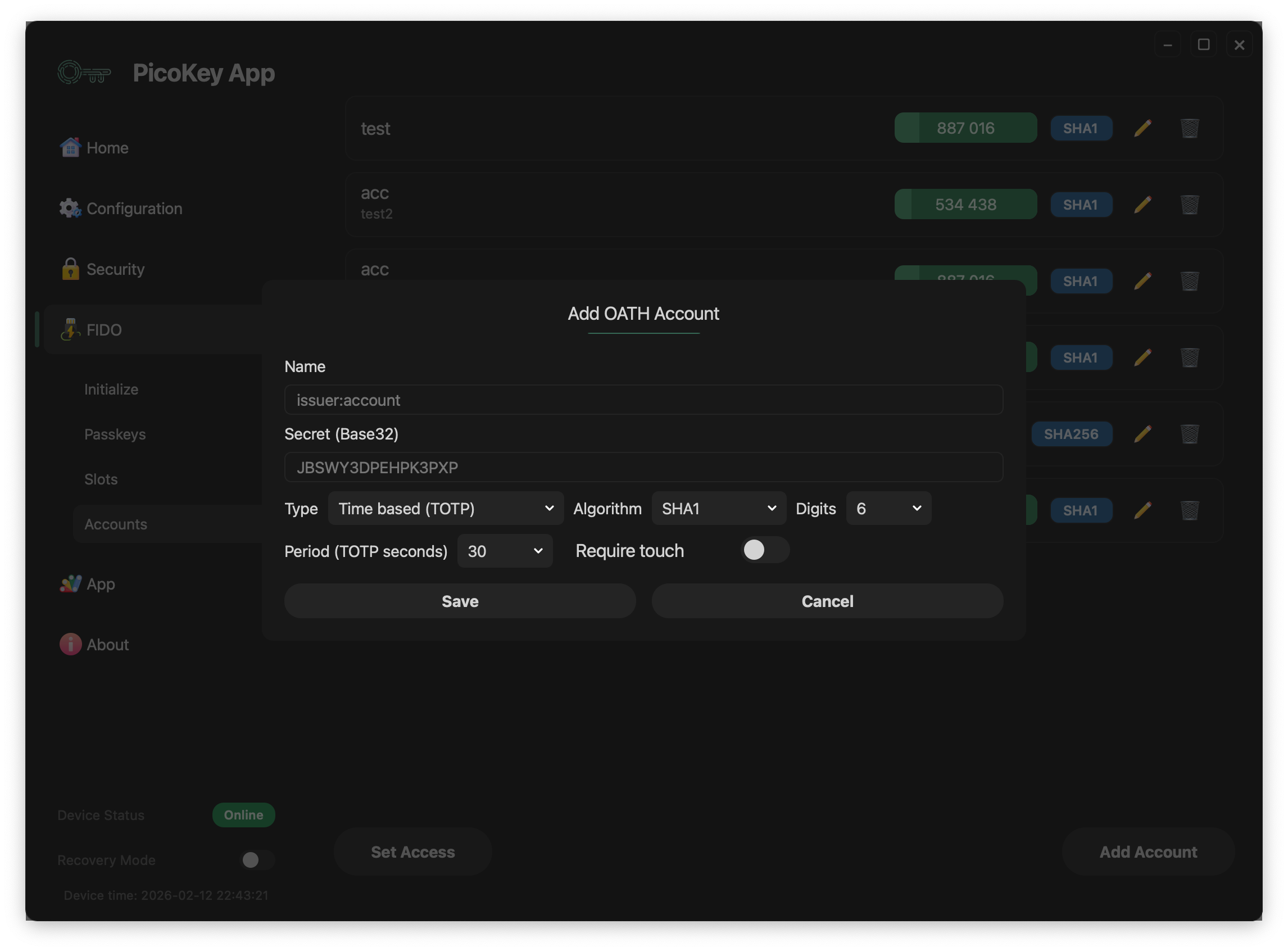
Use the TOTP form to create time-based OTP entries.
Fields
- Name: account label in the format
issuer:account. - Secret: Shared OATH secret used to generate codes.
- Type:
Time based (TOTP). - Algorithm: hash algorithm (
SHA1,SHA256,SHA512). - Period: Time step in seconds for code rotation (commonly
30). - Digits: OTP output length (typically
6or8). - Require touch: requires user touch/presence for code use.
Note
Exact field names can vary slightly depending on firmware and app version.
Add HOTP
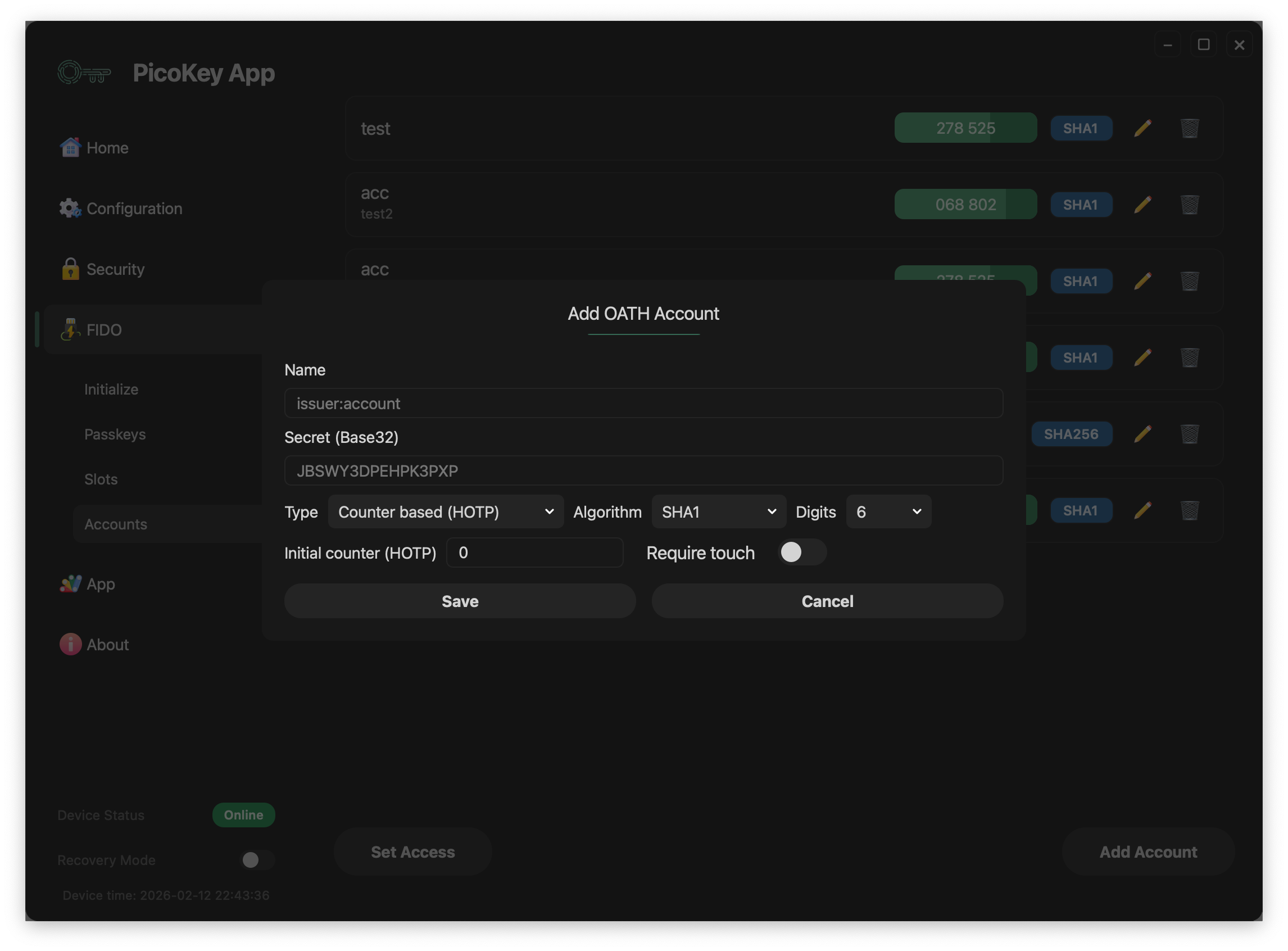
Use the HOTP form to create counter-based OTP entries.
Fields
- Name: account label in the format
issuer:account. - Secret: Shared OATH secret used to generate codes.
- Type:
Counter based (HOTP). - Algorithm: hash algorithm (
SHA1,SHA256,SHA512). - Counter: Initial counter value used for the first HOTP code.
- Digits: OTP output length (typically
6or8). - Require touch: requires user touch/presence for code use.
Note
HOTP codes advance when the counter increases, while TOTP codes rotate based on time.
Account operations
For each account, management actions include:
- Rename
- Delete
For OTP usage:
- TOTP entries are refreshed automatically with the period timer.
- Clicking a TOTP/HOTP code chip copies the current code to clipboard.
- For HOTP, clicking the chip also triggers a new counter-based calculation.
Locked state
When the OATH applet is protected, account data is hidden until unlock.
Registration requirement
This panel requires a registered board in PicoKey App. If the board is not registered, account management actions are restricted.