Audit
The Audit section is designed to analyze commands and usage activity on the PicoKey.
Its purpose is to keep operational control of events that occur on the device.
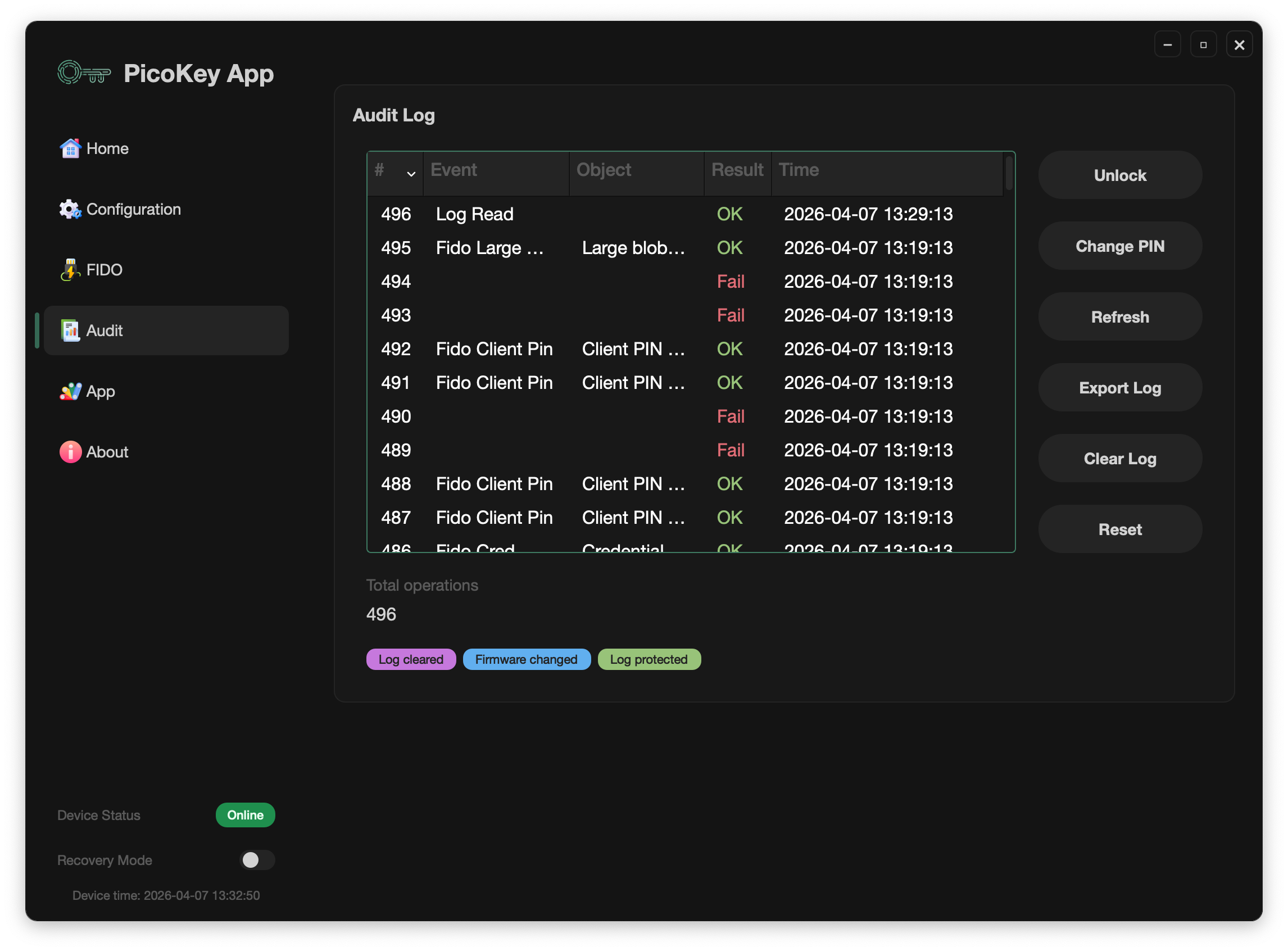
What Audit provides
The Audit Log view shows a chronological list of operations with:
- Operation number (
#) - Event name
- Object/target when available
- Result (
OK/Fail) - Timestamp
It also shows the Total operations counter with the accumulated number of recorded events.
Access protection (Audit PIN)
Audit access can be protected with a dedicated PIN (Audit PIN).
From this panel you can:
- Unlock protected logs
- Set the Audit PIN (first-time setup)
- Change the Audit PIN (after setup)
Log actions
The panel provides direct log administration actions:
- Refresh
- Export Log
- Clear Log
- Reset
Event indicators and status flags
Audit includes status indications to quickly detect relevant situations, such as:
- Log truncated
- Log cleared
- Firmware changed
- PIN/log protection enabled
- Clock not synchronized
- Write errors while storing log entries
In the screenshot example, indicators like Log cleared, Firmware changed, and Log protected are visible.