FIDO Dashboard
This page describes the FIDO dashboard in PicoKey App.
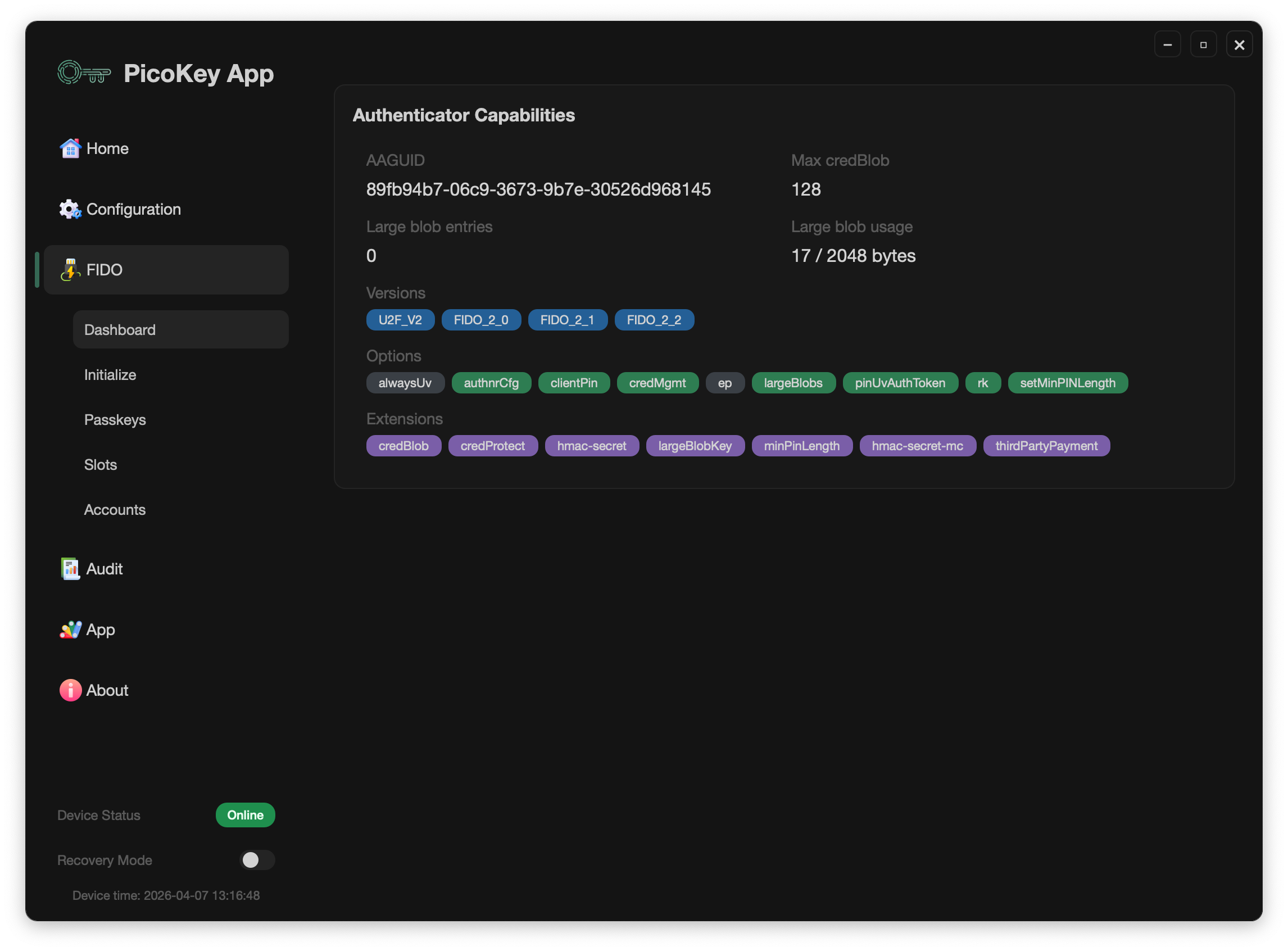
Overview
The dashboard is the main entry point for FIDO features and provides direct access to:
- Passkeys management
- OTP slots management
- OATH accounts management
- Initialization and provisioning actions
Use this screen to decide which FIDO area you want to manage for the connected device.
Device information shown
The dashboard exposes key FIDO device metadata, including:
- AAGUID
- Maximum credBlob size
- Number of largeBlobs entries
- largeBlob storage usage
These values help evaluate authenticator capabilities and current storage state.
Keyboard Interface
The Keyboard Interface switch enables or disables the USB keyboard interface through the device's PHY settings.
This interface is used by the OTP slots to type configured output when the device button is pressed. When it is disabled, PicoKey App disables the keyboard-dependent actions for slots 1–4:
- Static Password
- HOTP
- Yubico OTP
Challenge-response remains available because it does not type through the USB keyboard interface. Re-enable the switch before configuring or using the keyboard-dependent OTP actions.
Options and extensions
The dashboard also lists:
- Pico FIDO options reported by the authenticator
- Supported FIDO/WebAuthn extensions
Options shown in green are currently active on the connected device.
Notes
- Available actions can vary depending on firmware capabilities.
- Some actions require PIN verification before sensitive data is shown.