Pico HSM Initialization
This page documents the security initialization options available for Pico HSM when using PicoKey App.
These settings control PIN policies, key protection mechanisms, and recovery options.
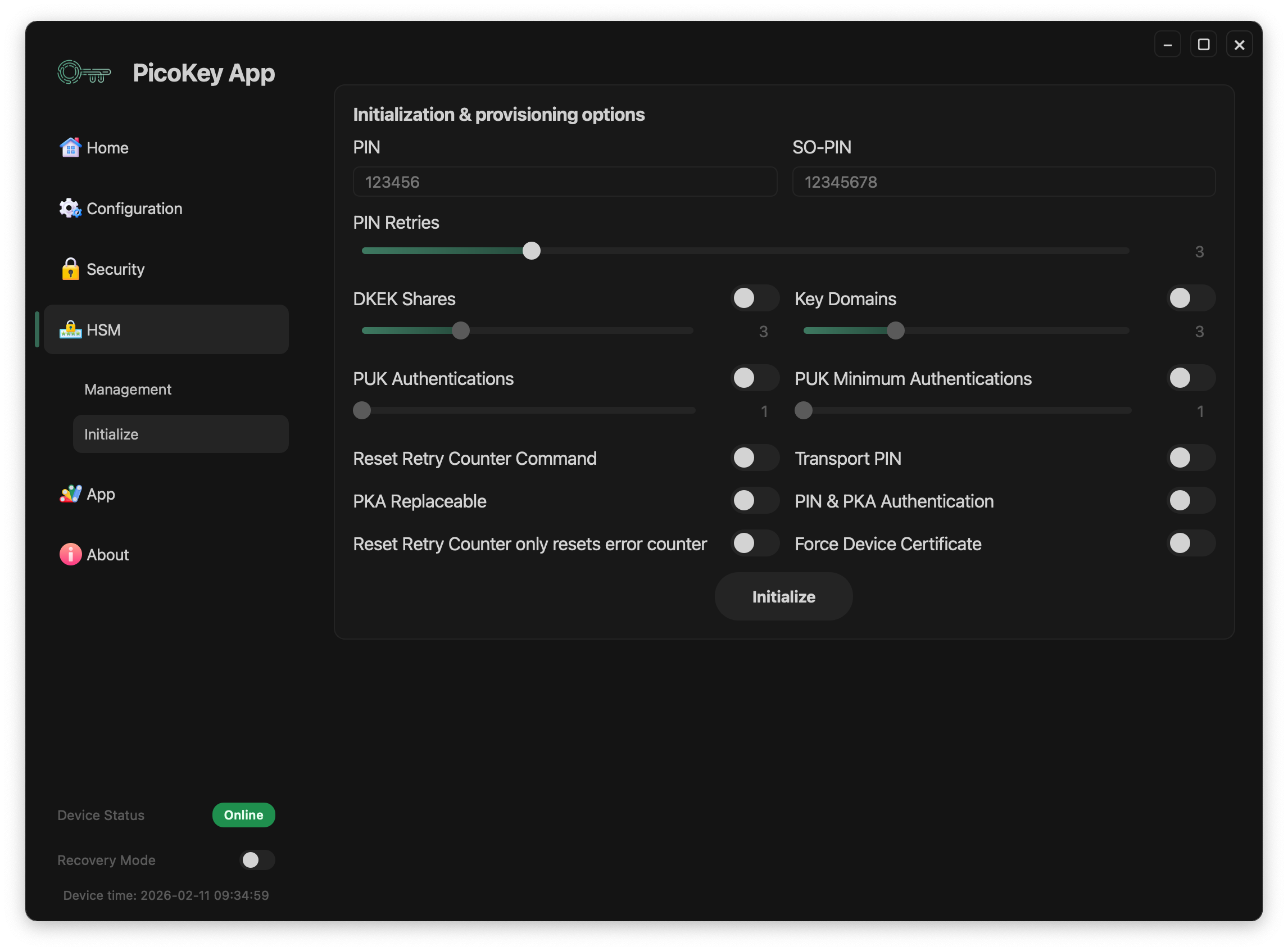
PIN configuration
User PIN
Defines the primary user PIN.
- Required for cryptographic operations
- Protects private keys and stored objects
Tip
The default PIN is 648219.
SO PIN
Defines the Security Officer PIN.
- Used for administrative operations
- Required for certain reset and recovery commands
Note
The SO PIN should be stored separately from the user PIN.
PIN retries
Configures the number of allowed incorrect PIN attempts.
- Applies to both user PIN and SO PIN
- Exceeding the limit blocks access
Danger
Exceeding retry limits may permanently lock the device.
Advanced protection options
DKEK shares
Enables Distributed Key Encryption Key (DKEK) shares.
- Splits the encryption key into multiple shares
- Requires a threshold number of shares for recovery
Note
This option is only useful when no key domains are configured. Otherwise, each key domain can be configured independently with different DKEK shares.
PUK authentications
Defines the total number of public keys supported for authentication.
- Used when PKA is enabled
- Adds an additional authentication mechanism without PIN
PUK minimum authentications
Defines the number of minimum of public keys for authentication.
- Used when PKA is enabled
Key domains
Enables key domain separation.
- Keys are grouped into isolated domains
- Access policies can differ per domain
Additional options
Reset retry counter command
Allows resetting the retry counter via command in case PIN is locked. It also allows PIN resetting.
- Useful for controlled recovery scenarios
Danger
If this option is disabled, Pico HSM will not be recoverable if PIN locked. In this case, a Factory Reset will be necessary and all keys and data will be lost permanently.
Transport PIN
Allows setting a temporary PIN during transport or provisioning.
Warning
Transport PINs should be changed immediately after deployment.
PKA replaceable
Allows replacement of public key authentication data.
Combined PIN & PKA authentication
Requires both PIN and public key authentication.
- Provides multi-factor protection
Reset Retry Counter only resets error counter
Reset Retry command only resets retry counter, not the PIN.
Note
This option is usable only when Reset Retry Counter command is enabled.
Force Device Certificate
Downloads and resigns the attestation certificate. Do not use unless you experiment issues with 3rd party apps.
Initialization process
After configuring all parameters:
- Click Initialize
- The device is provisioned with the selected security configuration
Danger
Some options cannot be changed without reinitializing the device.