Home
The Home section provides an overview of the currently connected device.
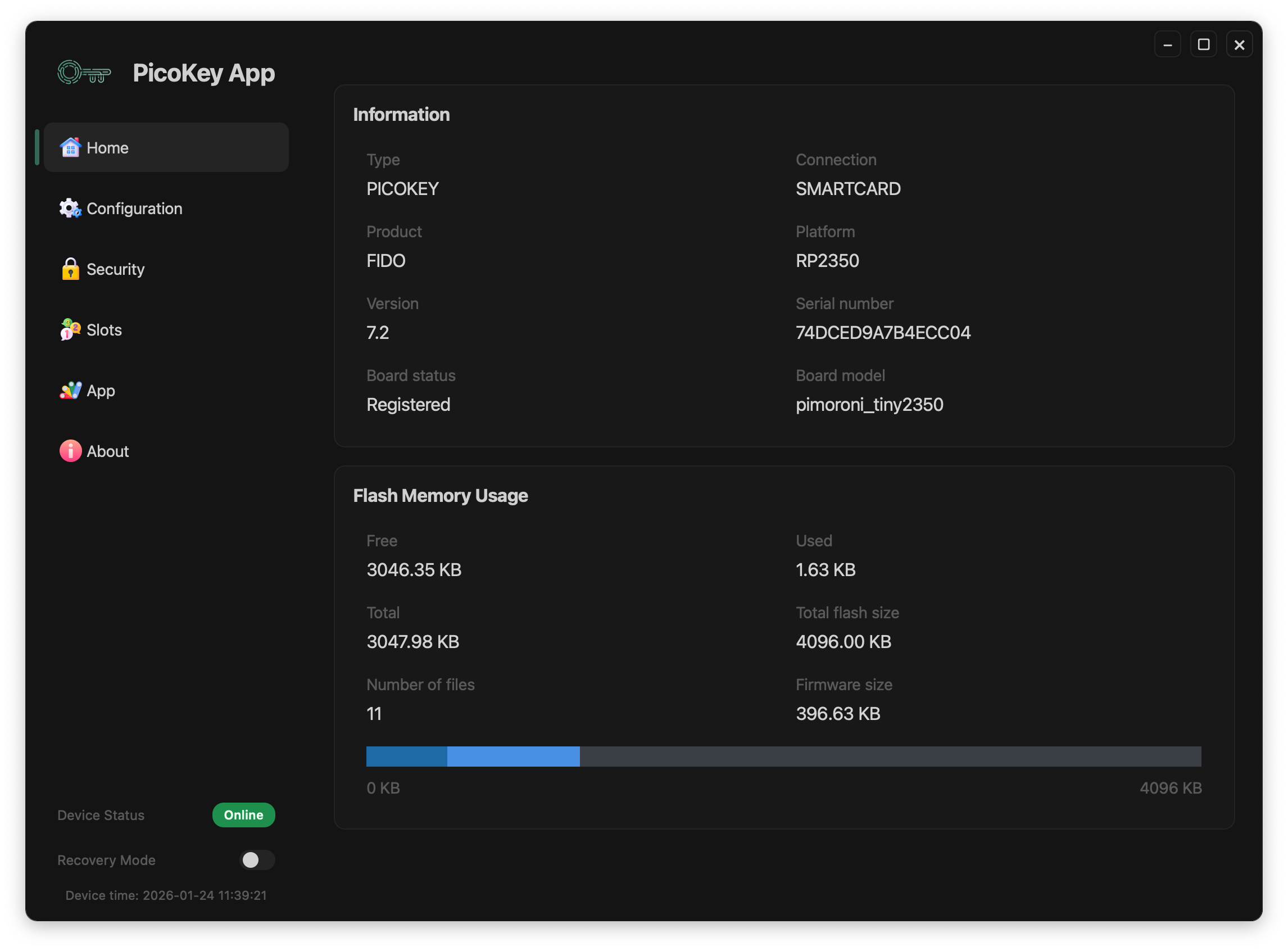
Device detection
When a device is correctly detected, PicoKey App displays the following information:
- Type – Device family (e.g.
PICOKEY) - Connection – Current connection mode (e.g.
RESCUE) - Product – Firmware-reported product type
- Platform – MCU platform (e.g.
RP2350) - Version – Firmware version
- Serial number – Unique device identifier
- Board status – Registration state (Registered / Not registered)
- Board model – Hardware model identifier
A green Device detected indicator confirms that communication with the device is working correctly.
Memory information
The Memory Info section shows filesystem usage on the device:
- Free memory
- Used memory
- Total memory
- Number of files
- Total filesystem size
This information is useful to verify available space and to diagnose abnormal storage usage.
Reboot to BOOTSEL
The Reboot to BOOTSEL button reboots the device into BOOTSEL (recovery) mode.
Warning
BOOTSEL mode should only be used when required (firmware update or recovery). Interrupting critical operations may require manual recovery.
Device status indicators
At the bottom of the application, PicoKeyApp displays real-time status information:
- Device connection status (online/offline)
- Recovery mode state
- Current device time
Tip
Device time is updated automatically when the agent is enabled.