Accounts
This page describes the Accounts panel in PicoKeyApp FIDO management.
Overview
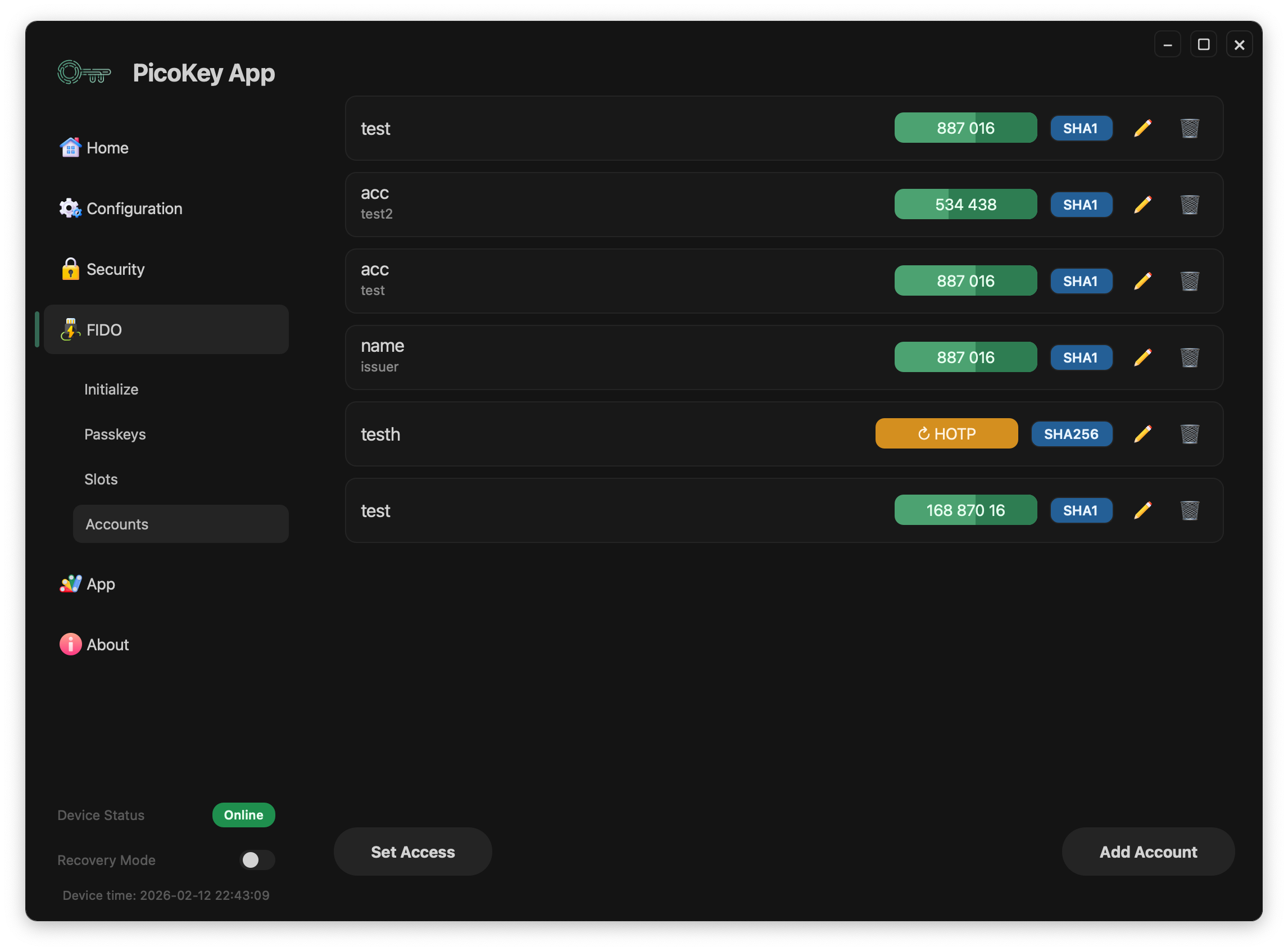
The Accounts panel manages OATH accounts stored on the device.
- List existing accounts
- Add TOTP accounts
- Add HOTP accounts
- Review account status before provisioning
Adding accounts
Add TOTP
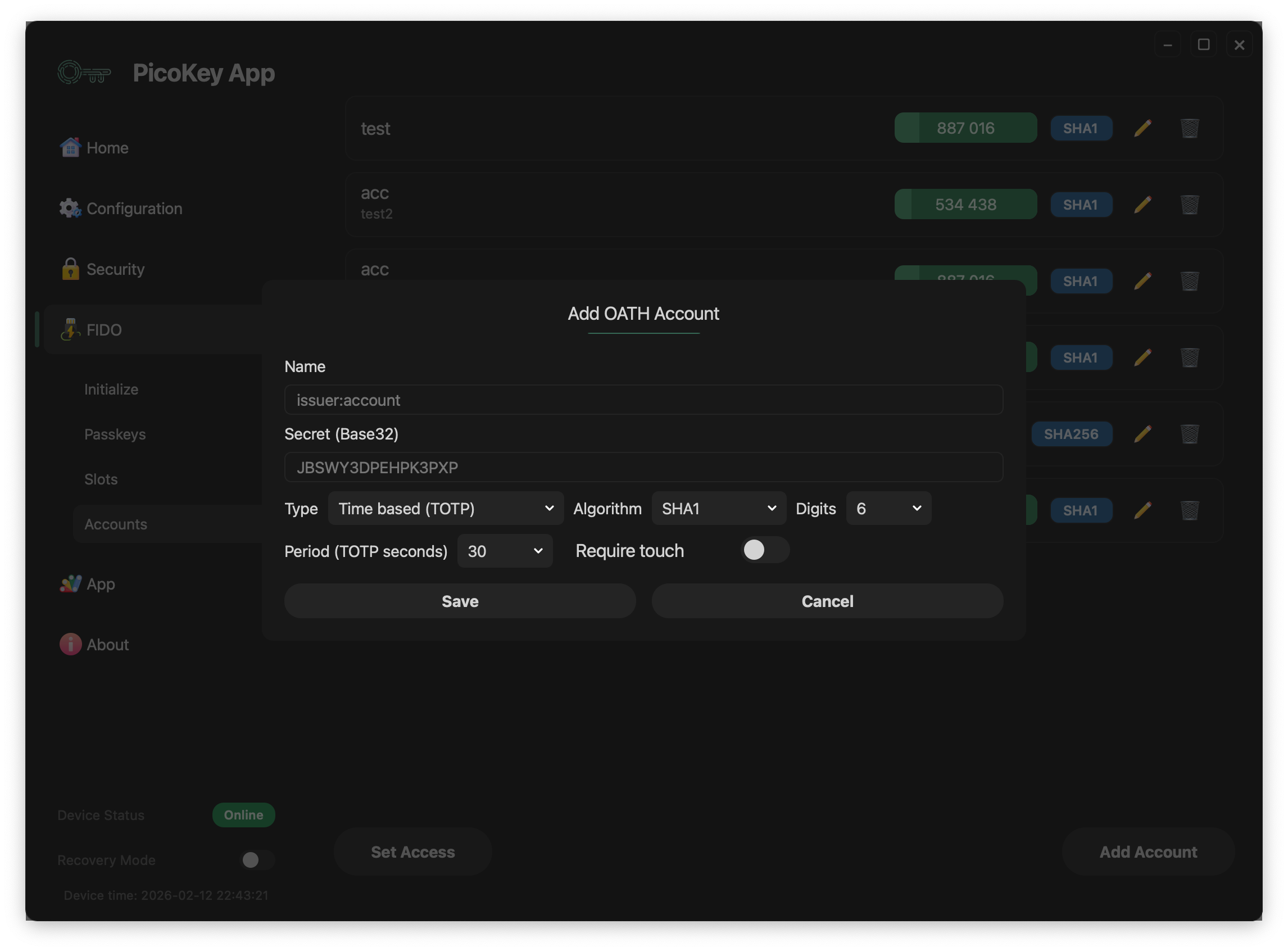
Use the TOTP form to create time-based OTP entries.
Fields
- Issuer: Service or organization name (for example
GitHuborGoogle). - Account: Account label shown in the list (usually an email or username).
- Secret: Shared OATH secret used to generate codes.
- Period: Time step in seconds for code rotation (commonly
30). - Digits: OTP output length (typically
6or8).
Note
Exact field names can vary slightly depending on firmware and app version.
Add HOTP
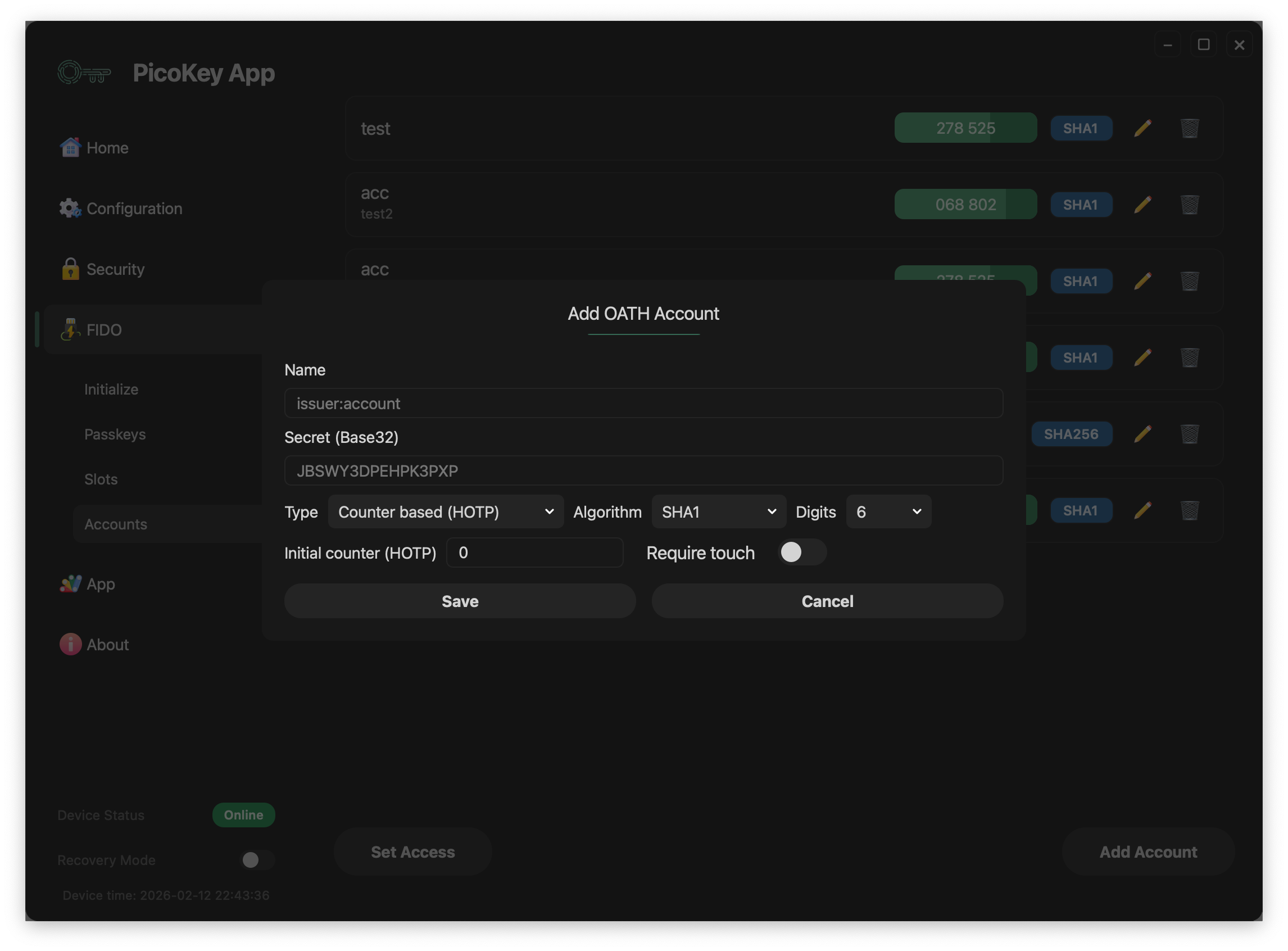
Use the HOTP form to create counter-based OTP entries.
Fields
- Issuer: Service or organization name.
- Account: Account label shown in the list.
- Secret: Shared OATH secret used to generate codes.
- Counter: Initial counter value used for the first HOTP code.
- Digits: OTP output length (typically
6or8).
Note
HOTP codes advance when the counter increases, while TOTP codes rotate based on time.
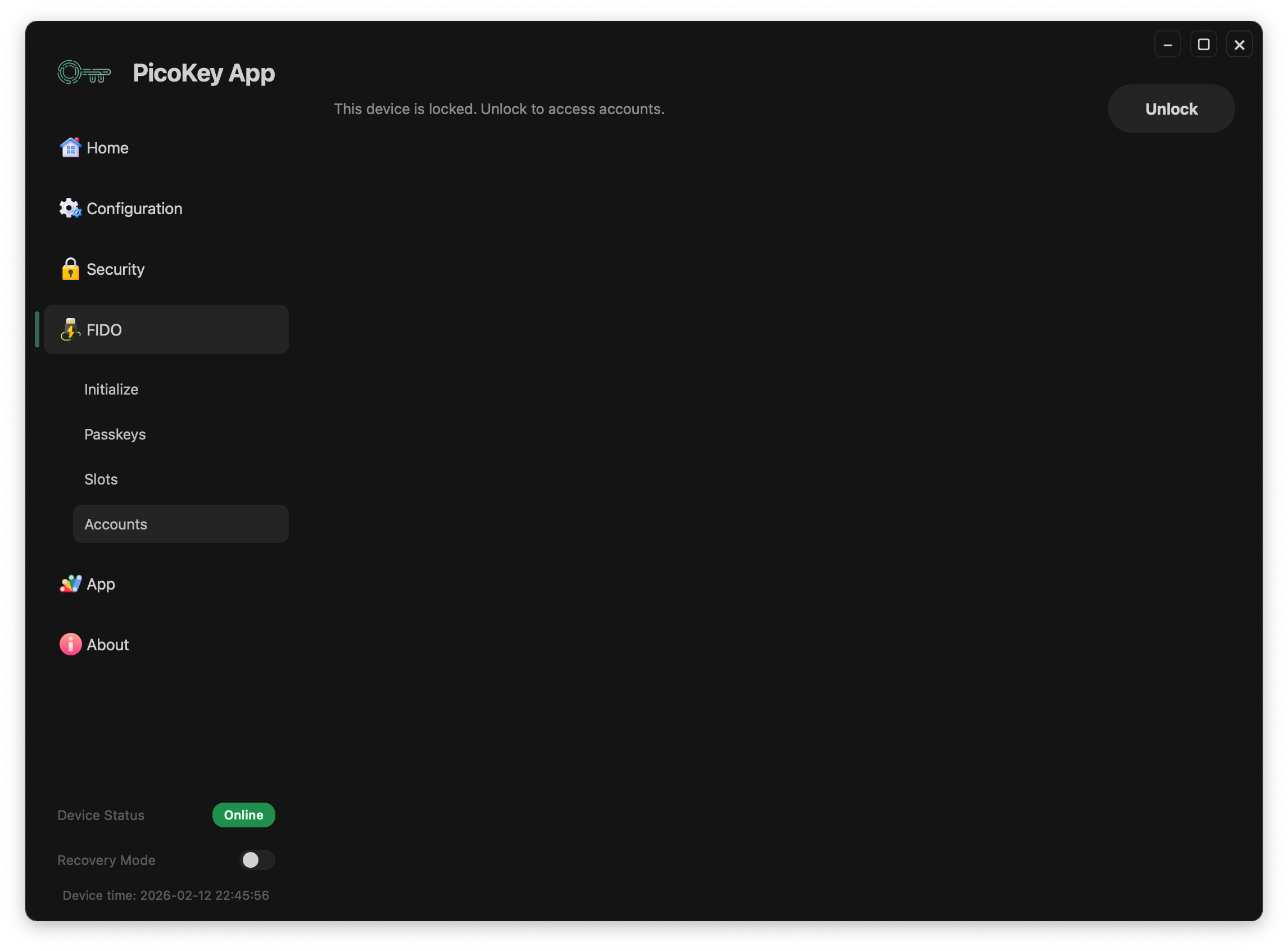
Locked state
When the OATH applet is protected, account data is hidden until unlock.