Configuration
The Configuration section is used to commission and customize the device.
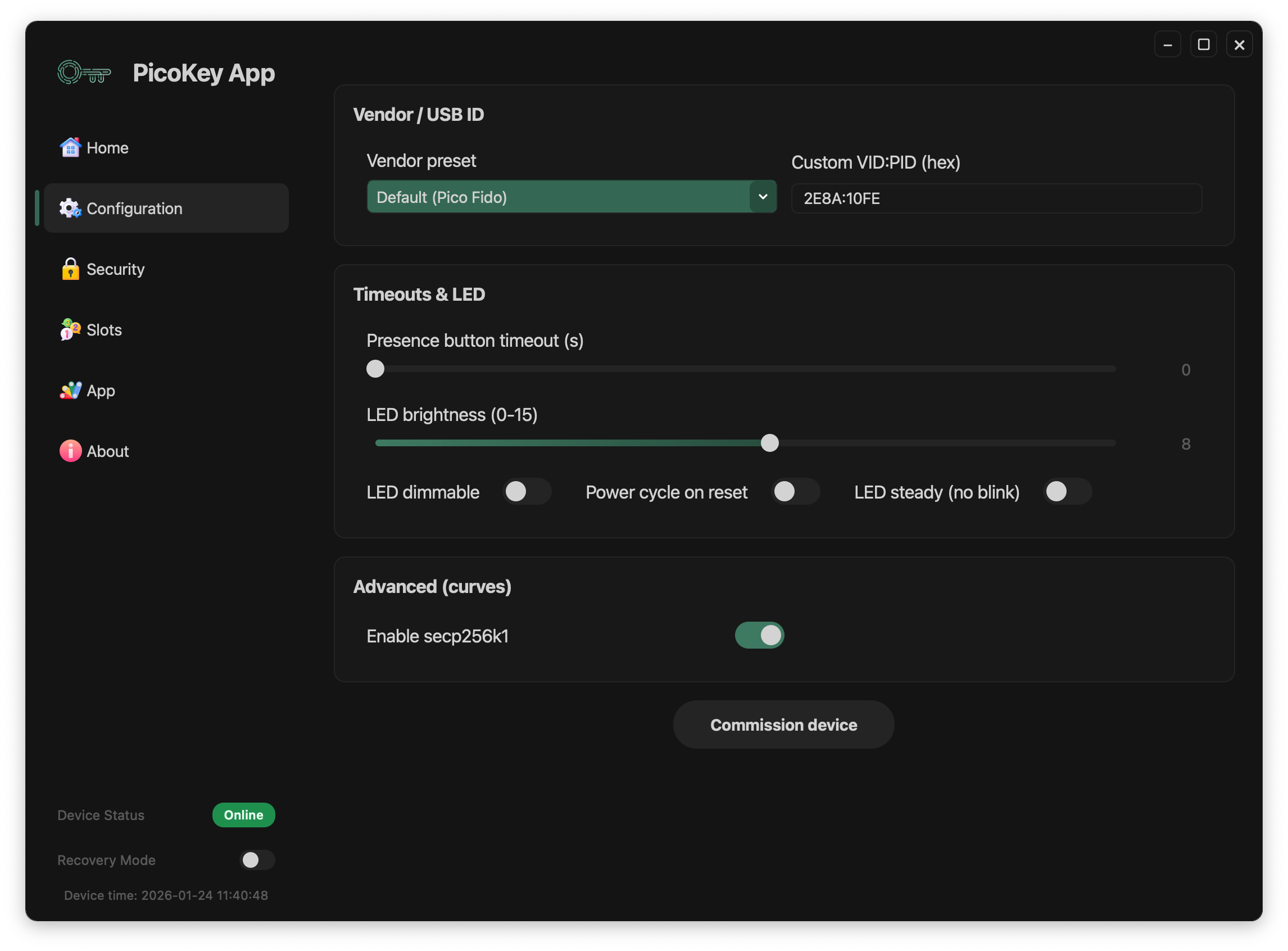
Vendor / USB identity
This section controls how the device identifies itself over USB.
-
Vendor preset Selects a predefined USB identity (default: PicoKeys).
-
Custom VID:PID (hex) Allows specifying a custom USB Vendor ID and Product ID.
Note
Changing USB identifiers affects how the device is recognized by the operating system. USB Product String is modified according to the vendor presets.
Timeouts & LED
This section controls user interaction timing and LED behavior.
-
Presence button timeout (s) Timeout used for presence-confirmation actions.
-
LED brightness (0–15) Sets the LED intensity.
-
LED dimmable Enables brightness control.
-
Power cycle on reset Forces a power cycle when resetting the device.
-
LED steady (no blink) Disables LED blinking patterns.
Availability of these options depends on the installed firmware.
Advanced options
- Enable secp256k1 Enables support for the secp256k1 elliptic curve, if supported by the firmware.
Note
Some old Android devices do not support this curve. Enabling it will make the device non-detectable.
Commission device
The Commission device button applies the selected configuration and provisions the device.
A status message indicates the result of the operation.
Warning
Commissioning modifies persistent device state. Ensure all selected options are correct before proceeding.