Slot: HOTP
This page describes the HOTP (HMAC-Based One-Time Password) slot type available in PicoKeyApp.
The HOTP slot generates a numeric one-time password derived from a shared secret and emits it as keyboard input when triggered.
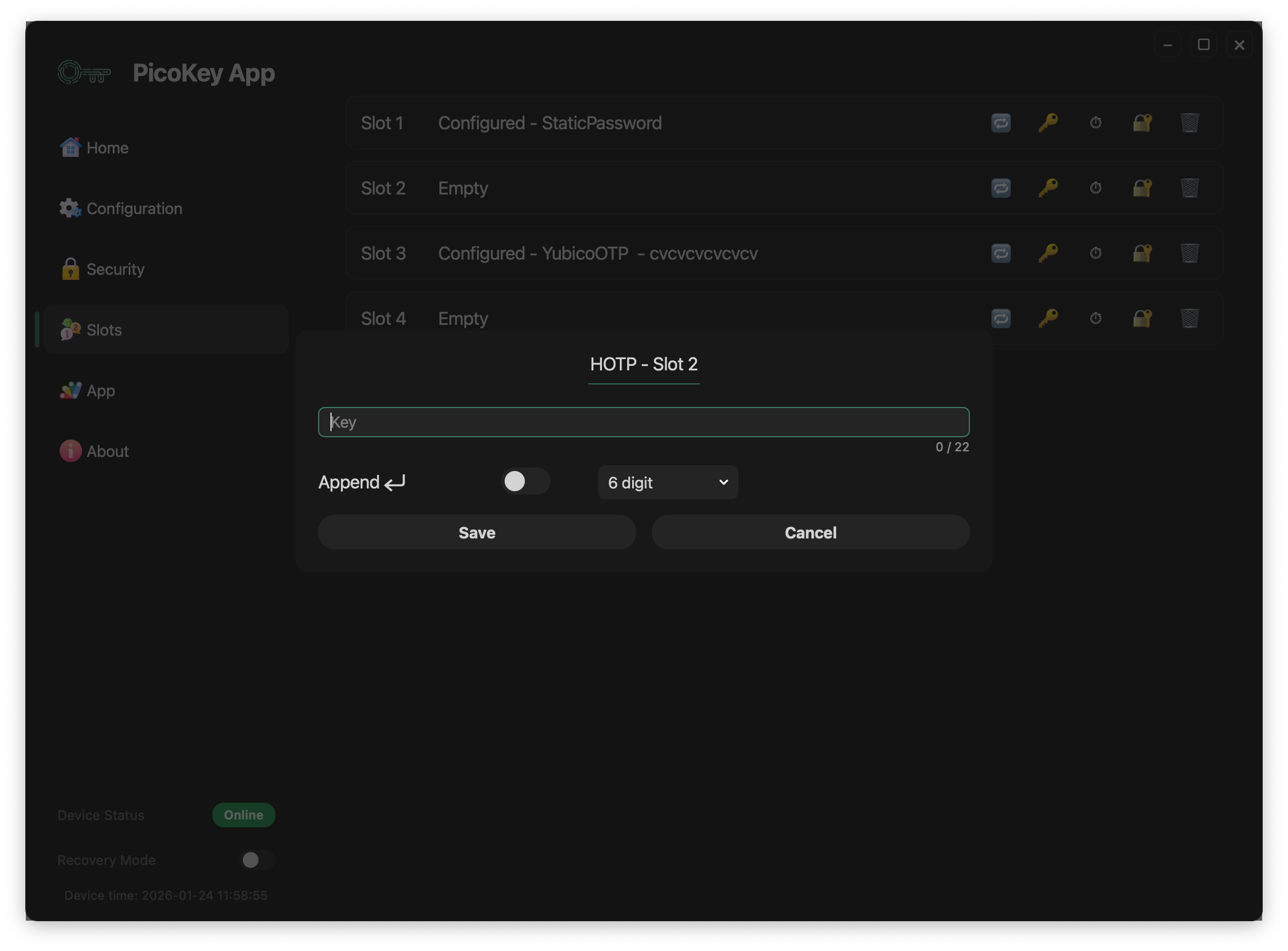
Overview
The HOTP slot allows the device to:
- Store a shared secret securely
- Generate a one-time password (HOTP)
- Emit the generated code as keystrokes
- Behave as a USB keyboard when activated
The generated code follows the HOTP model and is intended to be verified by a remote system that shares the same secret.
Activation mechanism
The HOTP slot is activated through the OTP / button interface.
Activation works as follows:
- The user presses the BOOTSEL button N times
Ncorresponds to the slot number- The device generates a new HOTP value
- The HOTP code is typed on the host system as keyboard input
Note
No dedicated software is required on the host beyond USB HID keyboard support.
Slot configuration
Key
Defines the shared secret used to generate HOTP values.
- The key is stored securely on the device
- The key cannot be retrieved once stored
- The maximum key length is limited by the slot implementation
Warning
If the secret is lost, the HOTP sequence cannot be regenerated or validated.
Number of digits
Defines the length of the generated HOTP code.
Supported values:
- 6 digits
- 8 digits
Note
The verifier must be configured to expect the same number of digits.
Append Enter
When enabled:
- An Enter key is sent after the HOTP code
- Useful for automatic form submission
Tip
Enable this option when authenticating into login forms or terminals.
Save and cancel
- Save stores the HOTP configuration permanently
- Cancel discards the configuration
Danger
Saving overwrites any existing slot configuration.
Security considerations
The HOTP slot:
- Generates a new code on each activation
- Does not expose the shared secret
- Emits the code only as keyboard input
Warning
HOTP counters must remain synchronized with the verification system.
Typical use cases
Common use cases include:
- Two-factor authentication systems
- Legacy systems without TOTP support
- Offline authentication scenarios
- Environments requiring keyboard-based OTP input
Tip
Ensure proper counter resynchronization policies on the server side.
Limitations
- Counter-based (no time component)
- Requires host-side verification
- Susceptible to desynchronization
- Keyboard-based emission only
Note
For time-based OTP, consider using TOTP-capable solutions if available.