Pico FIDO Initialization
This page describes the security initialization and provisioning options available when using Pico FIDO with PicoKey App.
These options are applied once during initialization and directly affect the security model of the authenticator.
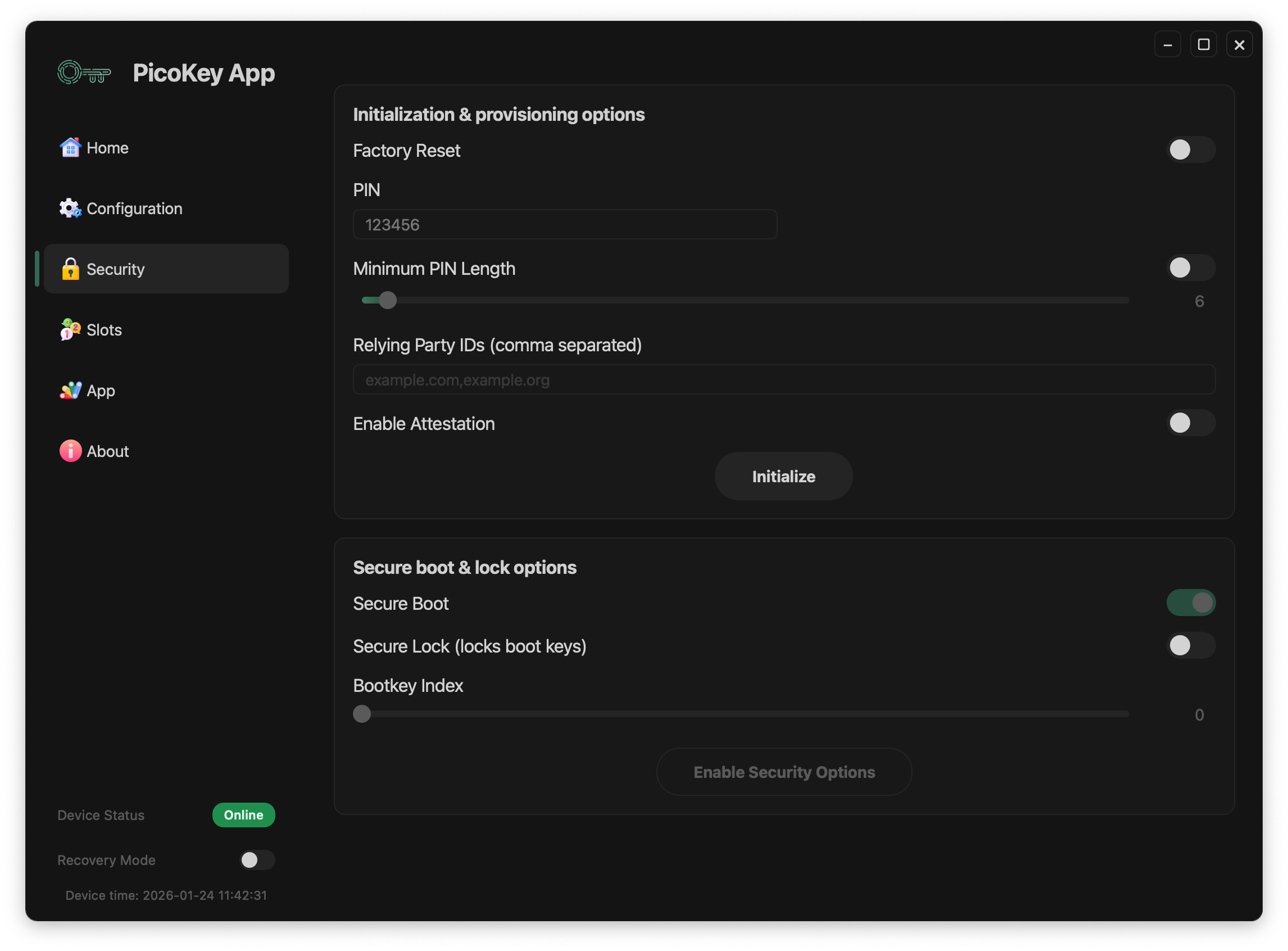
Initialization options
PIN
Sets the user verification PIN for the authenticator.
- The PIN is required for user verification when enabled
- It protects resident credentials and sensitive operations
Warning
Losing the PIN may permanently lock access to credentials.
Attestation
Enables authenticator attestation.
When enabled:
- The authenticator presents an attestation certificate
- Relying parties can identify the device type
Note
Attestation may reduce user privacy depending on the relying party.
Minimum PIN length
Defines the minimum allowed PIN length.
- Enforced at PIN setup time
- Applies to all future PIN changes
Tip
Longer PINs significantly improve resistance against guessing attacks.
RP IDs restriction
Limits the set of allowed Relying Party IDs.
- RP IDs must be explicitly listed
- Multiple RP IDs are separated by commas
Danger
Incorrect RP ID configuration may prevent authentication on valid services.
Initialization process
After configuring the desired options:
- Click Initialize
- The device is provisioned with the selected security parameters
Warning
Initialization is irreversible without a full device reset.
Summary
Security initialization defines the trust model of Pico FIDO.
Careful selection of these options ensures:
- Strong authentication guarantees
- Resistance against firmware tampering
- Controlled use of attestation and PIN policies